
Customizer
The Customizer is a button in the toolbar that allows you to launch a window for quickly adjusting elements.
It is especially useful in After Effects templates and for MOGRTs to change colors within the composition/text and other parameters that the author initially specifies.
The customizer collects fields in a control layer (After Effects) / MOGRT element (Premiere Pro) which is specifically specified and displays them in the extension, allowing you to quickly configure the parameters.
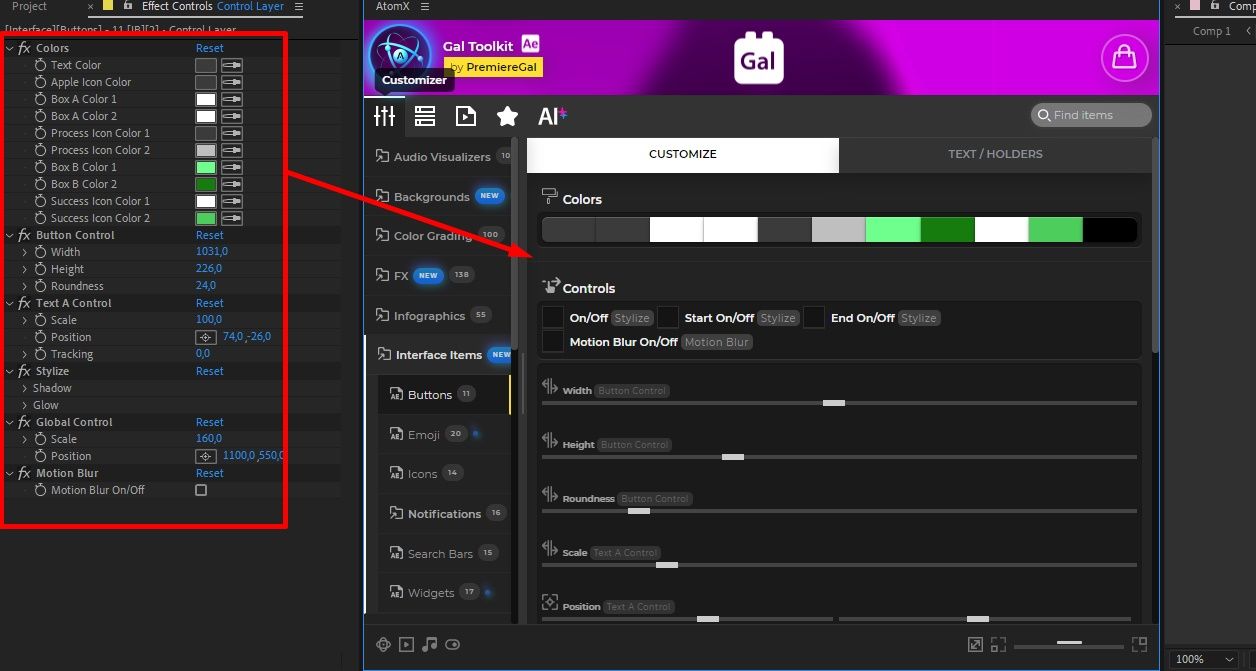
engine_pack).After Effects only
To use the Customizer with your After Effects project, we use the layer commenting system.
- Switch on the comments display (if they are off). Right-click a bar with columns (Layer Name, ...), find a comments column, switch on.
- Add a special comment to the required layers.
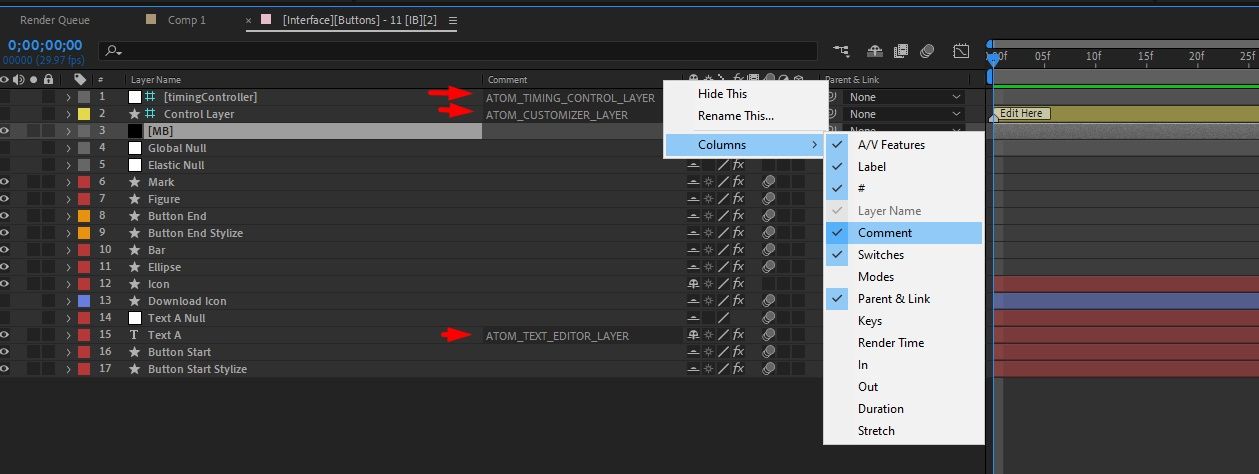
The customizer will pick up the layers with the comments and specify what they relate to, what you need to do with them.
Control Mark
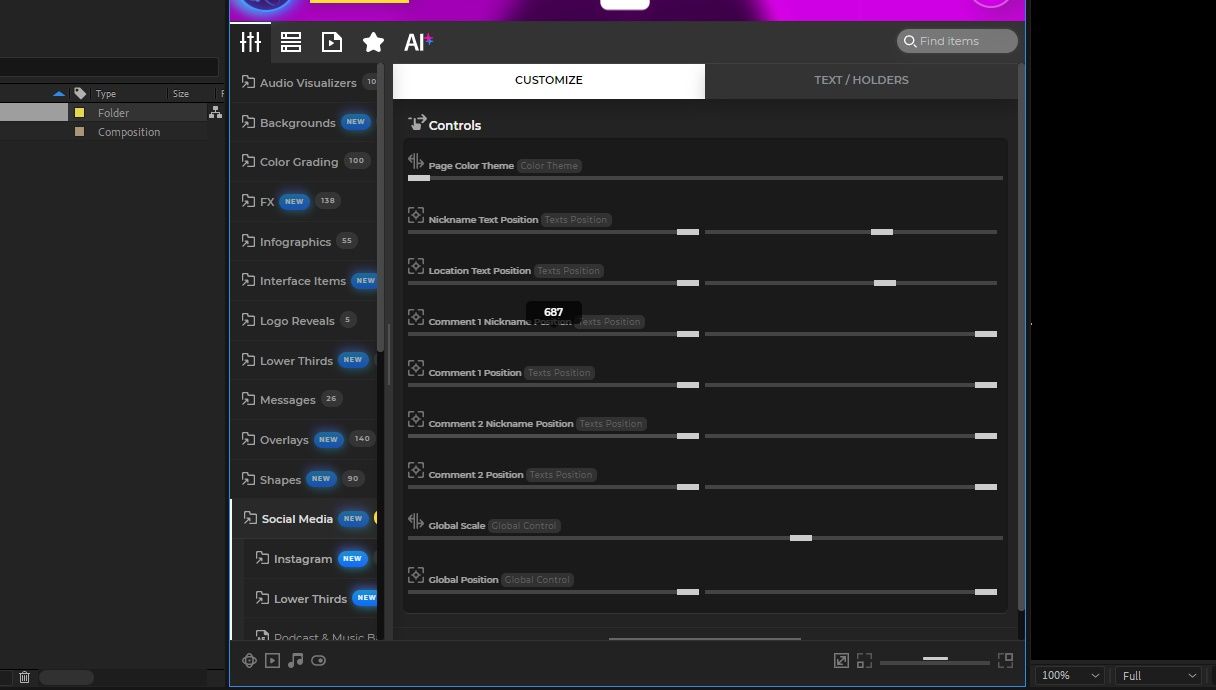
Comment to link your main controller to color settings, sliders, etc.
You can change the minimum and maximum values using the customizer_control_range parameter.
Just add comment: ATOM_CUSTOMIZER_LAYER to bind it.
Text & Placeholder Mark
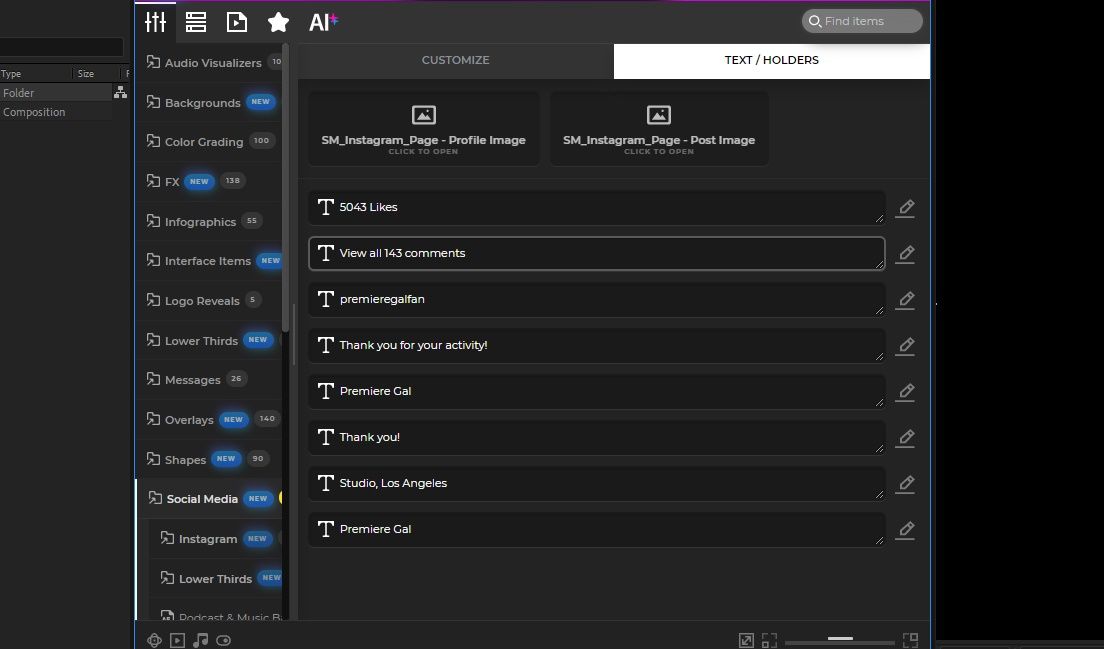
Comment for linking text layers and placeholders.
ATOM_TEXT_EDITOR_LAYER- Add this comment to the text layer (if your text is inside a composition, add this comment for all text layers inside).ATOM_PLACEHOLDER_LAYER- Add this comment to the composition layer (if the placeholers are inside the composition(s), add this comment for all compositions inside).
Timing Control Mark
This option adds a system of animation timing management (using markers) for the applied compositions.
To use the settings of timing control of your elements you need to use the mark and the marker with a point in time, and the additional option (layer_timing) on your element. If layer_timing is not set, the default value (IN/OUT control) will be used.
Just add comment: ATOM_TIMING_CONTROL_LAYER to bind it.
For the standard IN/OUT control system, place a marker in the middle of your composition (after the main animation and before the end of the animation).

Premiere Pro only
The Customizer for Premiere Pro only works for MOGRT elements.